Addins
Outlook 2 Mac
Posted on Wednesday, February 11th, 2009.
Filed under Addins.

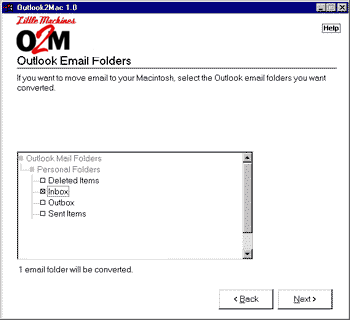
O2M may be the fastest way to move your Windows® Outlook® email, contacts, and calendar appointments from your PC to your Macintosh® computer! (1) Just fire up O2M on your Windows PC, pick the Outlook folders you want to export, choose the filtering options you want to use, and click Start — O2M does the rest, automatically exporting your Outlook data into portable files you can import directly into your Apple® Mail, Address Book, iCal, Microsoft Entourage, or other Macintosh-compatible programs. Back up all of your PC’s email and email attachments to your Apple! Copy your Outlook contacts from work to home and vice-versa! Migrate all of your calendar appointments from your old PC to your new Mac! The possibilities are endless!


Product Images
Software Specifications
| Addin Version: | Not available |
| Product URL: | http://www.littlemachines.com/... |
| Company URL: | http://www.littlemachines.com/... |
| Support URL: | Not available |
Pricing
| Cost: | $10.00 |
| MultiUser Licenses? | No |
| Trial? | Yes |
Minimum Requirements
| Operating System: | Microsoft Windows XP |
| Outlook Version(s): | Microsoft Outlook 2000 Microsoft Outlook 2002 Microsoft Outlook 2003 Microsoft Outlook 2007 |
| Hard Drive Space: | 3 (MB) |
| Memory: | 0 (MB) |
Outlook 2 Mac is an addin for Microsoft Outlook.
Addins are sometimes referred to as Plugins. The Outlook Utilities along with the Leprechaun Works, LLC
makes no warranties or guarantees as to the product capabilities or the information describing said product.